注意
您还可以使用拉取请求和提交消息中的关键词自动关闭问题。有关详细信息,请参阅“将拉取请求链接到问题”。
-
在 GitHub 上,导航到仓库的主页。
-
在您的仓库名称下,单击 Issues.

-
在问题列表中,单击您要关闭的问题。
-
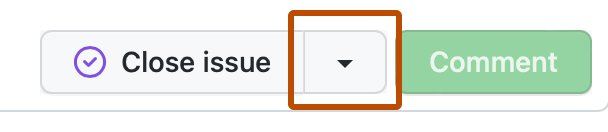
可选:要更改关闭问题的理由,在“关闭问题”旁边,选择,然后单击一个理由。
-
单击**关闭问题**。
当 bug 已修复、反馈已处理或要表明工作未计划时,您可以关闭问题。
任何人都可以关闭自己创建的问题。
仓库所有者、个人帐户拥有的仓库的协作者以及组织拥有的仓库中具有分类权限或更高权限的人员可以关闭其他人创建的问题。
注意
您还可以使用拉取请求和提交消息中的关键词自动关闭问题。有关详细信息,请参阅“将拉取请求链接到问题”。
在 GitHub 上,导航到仓库的主页。
在您的仓库名称下,单击 Issues.

在问题列表中,单击您要关闭的问题。
可选:要更改关闭问题的理由,在“关闭问题”旁边,选择,然后单击一个理由。

单击**关闭问题**。